Five surfaces. One window.
NetGlobe unifies what was previously a stack of disconnected tools — netstat, traceroute, WHOIS, MTR, threat feeds, speed tests, certificate inspectors — into a single live map of what your machine is actually doing on the internet. No browser tabs. No copy-pasting IPs. No alt-tabbing.
Every outbound socket, on a map, in real time.
NetGlobe enumerates every open TCP and UDP connection on your machine, resolves the remote endpoint against a local GeoIP database, and renders each one as a live arc on a 2D world map or 3D globe. The map refreshes continuously as connections open and close — no polling, no waiting.
-
Local-first GeoIPBundled GeoIP database. Lookups never leave the device.
-
2D & 3D viewsFlat world map for working sessions, cinematic globe for situational awareness.
-
Encryption-aware arcsArcs colored by TLS / plaintext so unencrypted traffic stands out at a glance.
-
Process attributionHover any line to see which app or service opened it — and which parent process launched that.
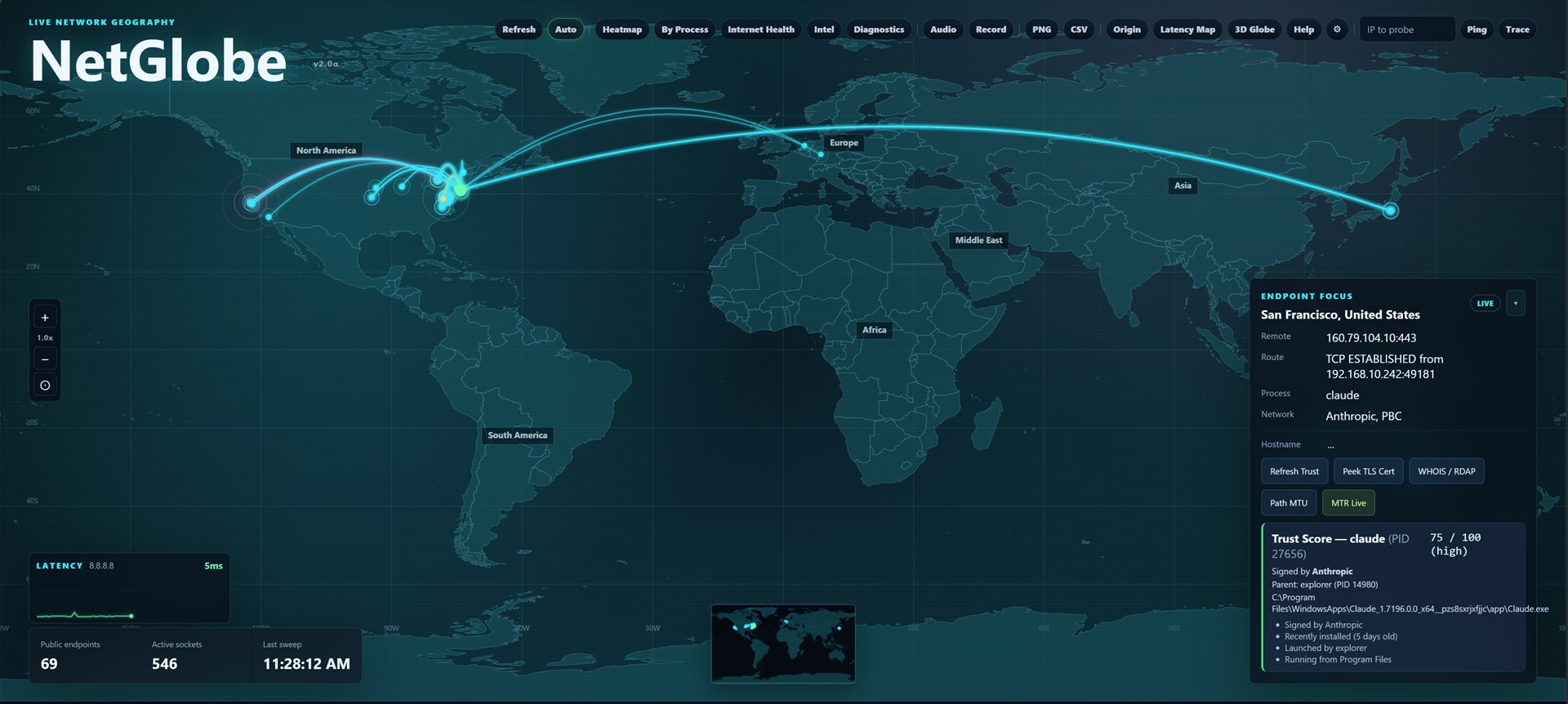
One click — everything you need to know about that connection.
Every line on the map is a pivot point. Click any connection and NetGlobe's right rail re-attaches to that endpoint — process, network owner, certificate chain, route, MTU, and trust score, all in one place. No tab-switching. No copy-pasting IPs into ten different web tools.
-
WHOIS / RDAP, inlineNetwork owner, range, registration date. Fetched on click, cached locally.
-
TLS certificate peekIssuer, validity window, subject alt names, ciphersuite — without leaving the panel.
-
Process trust scoreUnsigned binary? Launched by svchost? Running from Program Files? You see it.
-
Path MTU & reverse DNSOne click. No external tooling. Cached so repeat lookups are instant.
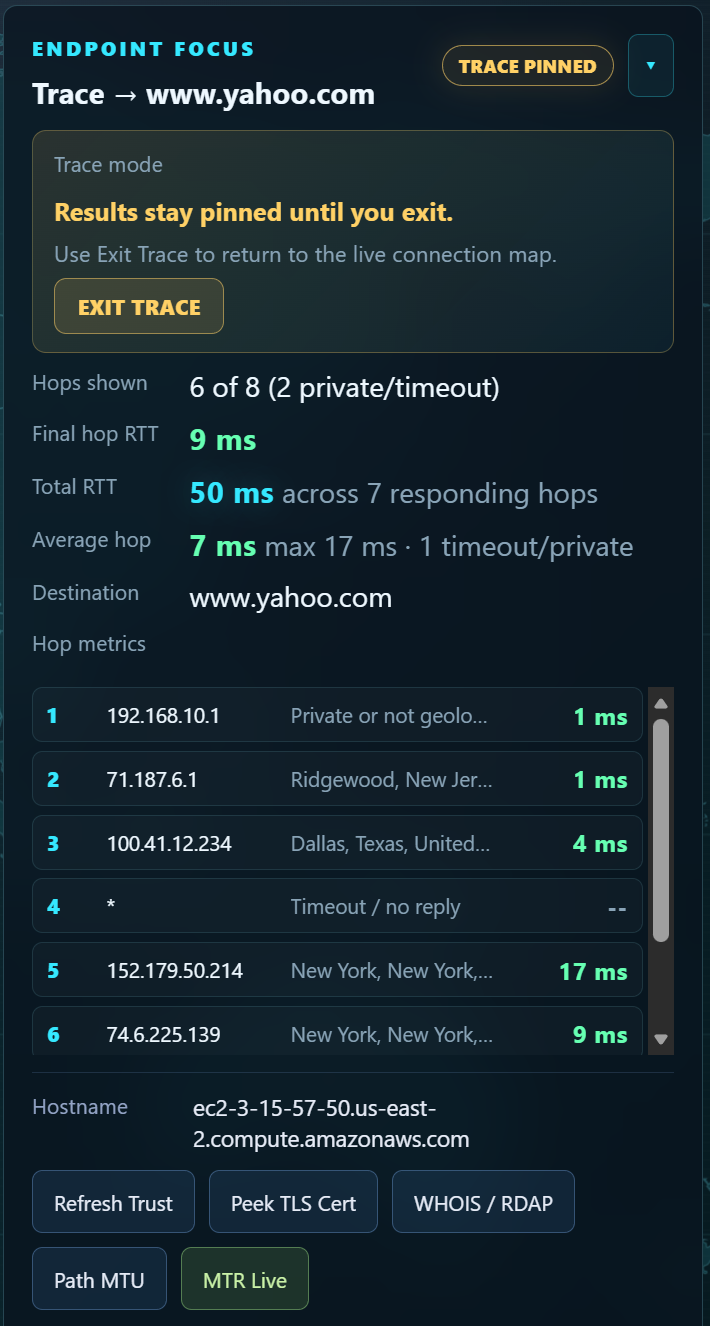
If it shouldn't be there, NetGlobe sees it first.
Every connection is checked against curated threat-intel feeds — FireHOL Level 1/2, Spamhaus DROP/EDROP, Tor exit nodes, and ThreatFox IoCs. Hits are flagged on the map the moment they appear, with the matching feed and severity in the focus panel. Every feed is auditable in Settings: you can disable any of them, repoint to a private mirror, or swap in your own.
-
15,000+ indicatorsRefreshed in the background. Hits cached locally between refreshes.
-
BGP & outage signalsLive feeds from IODA and IHR surface wider internet-health context your local view can't see.
-
Bring-your-own feedEvery feed URL is configurable. Mirror them in your perimeter, or roll your own JSON list.
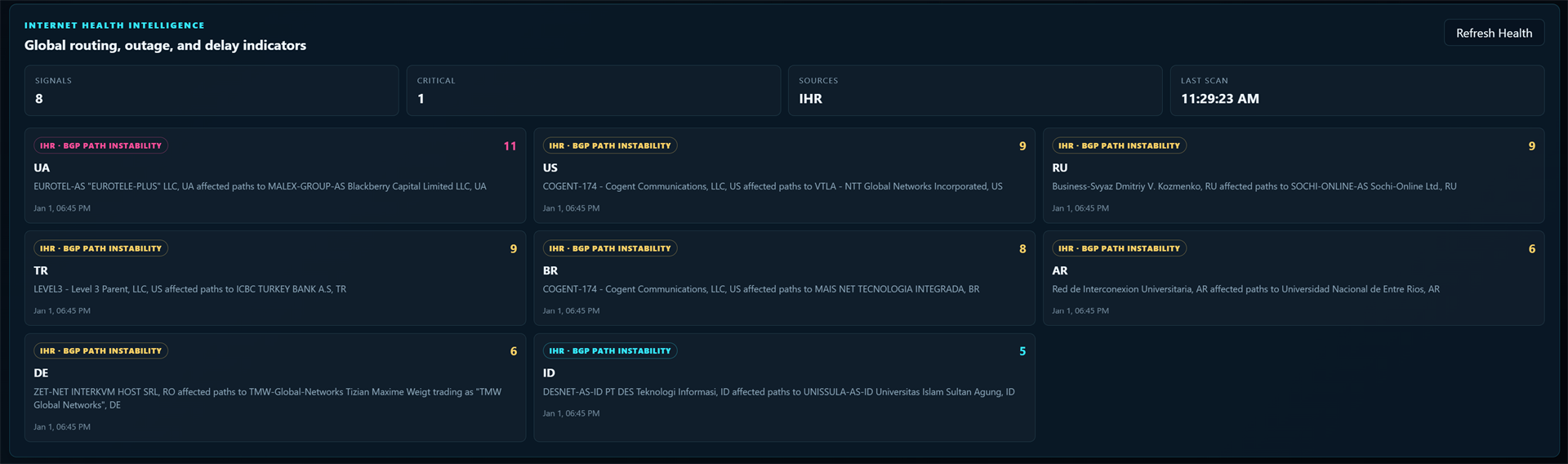
The full network-engineer toolkit, baked in.
When something is slow, broken, or behaving oddly, NetGlobe ships with the tools to figure out why — without leaving the app, dropping to a terminal, or pasting outputs into a ticket.
-
Traceroute & MTRHop-by-hop loss and latency, refreshing continuously. Watch a flaky link in real time.
-
Speed test & iperf3Pick a public test server or point at your own iperf3 endpoint for accurate throughput numbers.
-
Port scanningTCP and UDP probes against any host — see what's actually reachable from your machine.
-
Path MTU discoveryFind the largest packet that survives the path — useful for VPN and tunneling weirdness.
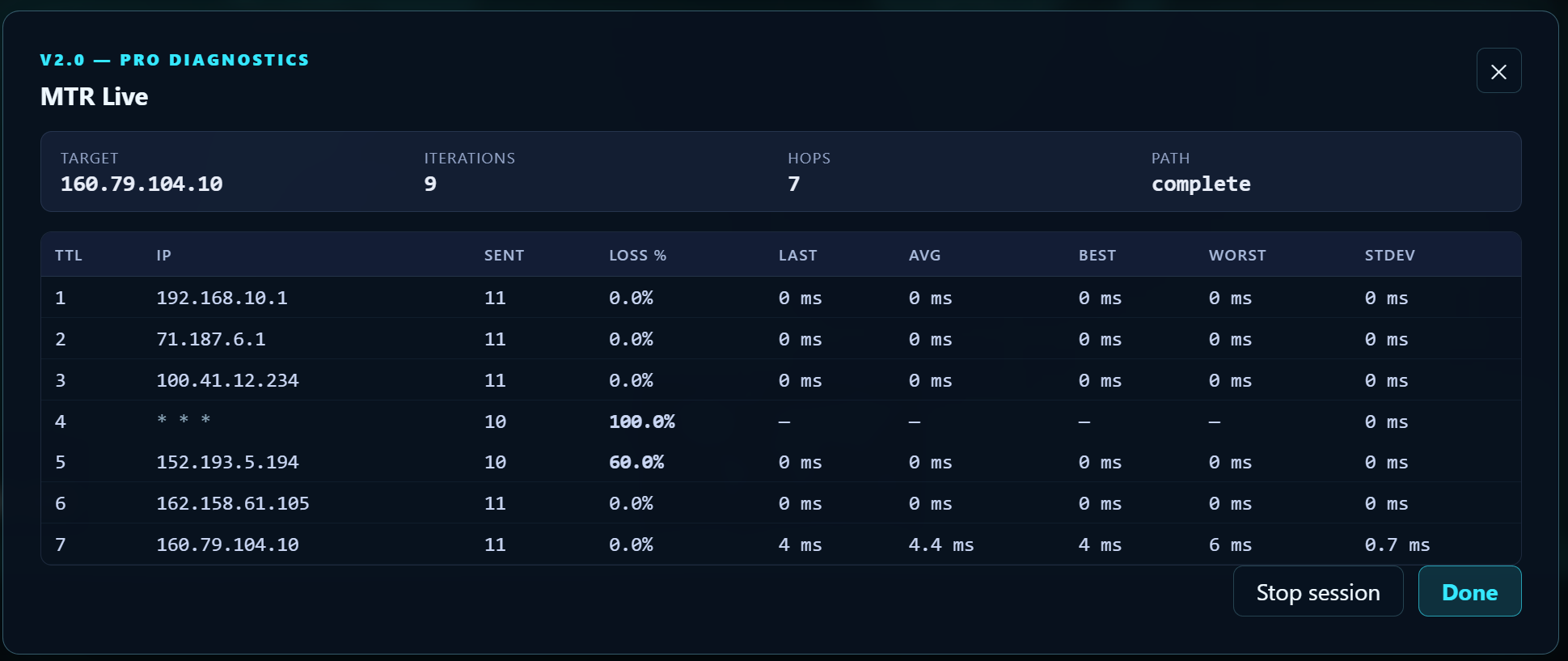
Runs entirely on your machine. No exceptions.
NetGlobe is a single local binary. It opens a tiny HTTP server only on 127.0.0.1,
talks to its own UI in your browser, and exits when you do. There is no account to make, no cloud to sync with, no telemetry pipe.
The only outbound calls are the third-party feeds you explicitly enable — every one of them auditable, repointable, and disable-able from Settings.
-
No accounts, everInstall, run, use. There is nothing to sign up for.
-
No telemetryYour network data never leaves the machine. Not in aggregate. Not anonymized. Not ever.
-
Auditable outboundEvery external URL the app might call is listed in Settings. Disable, swap, or mirror at will.
-
Local-first GeoIPA GeoIP database ships in the box. The internet doesn't need to know you're looking something up.
Your machine
NetGlobe binary · http://127.0.0.1:4127 · UI in your browser
Threat & outage feeds
FireHOL · Spamhaus · ThreatFox · IODA · IHR
Cloud / telemetry
no account · no sync · no analytics
Real surfaces. Real data. Captured live.
These are screenshots from a running build of NetGlobe — not concept art. Same UI on macOS and Windows.
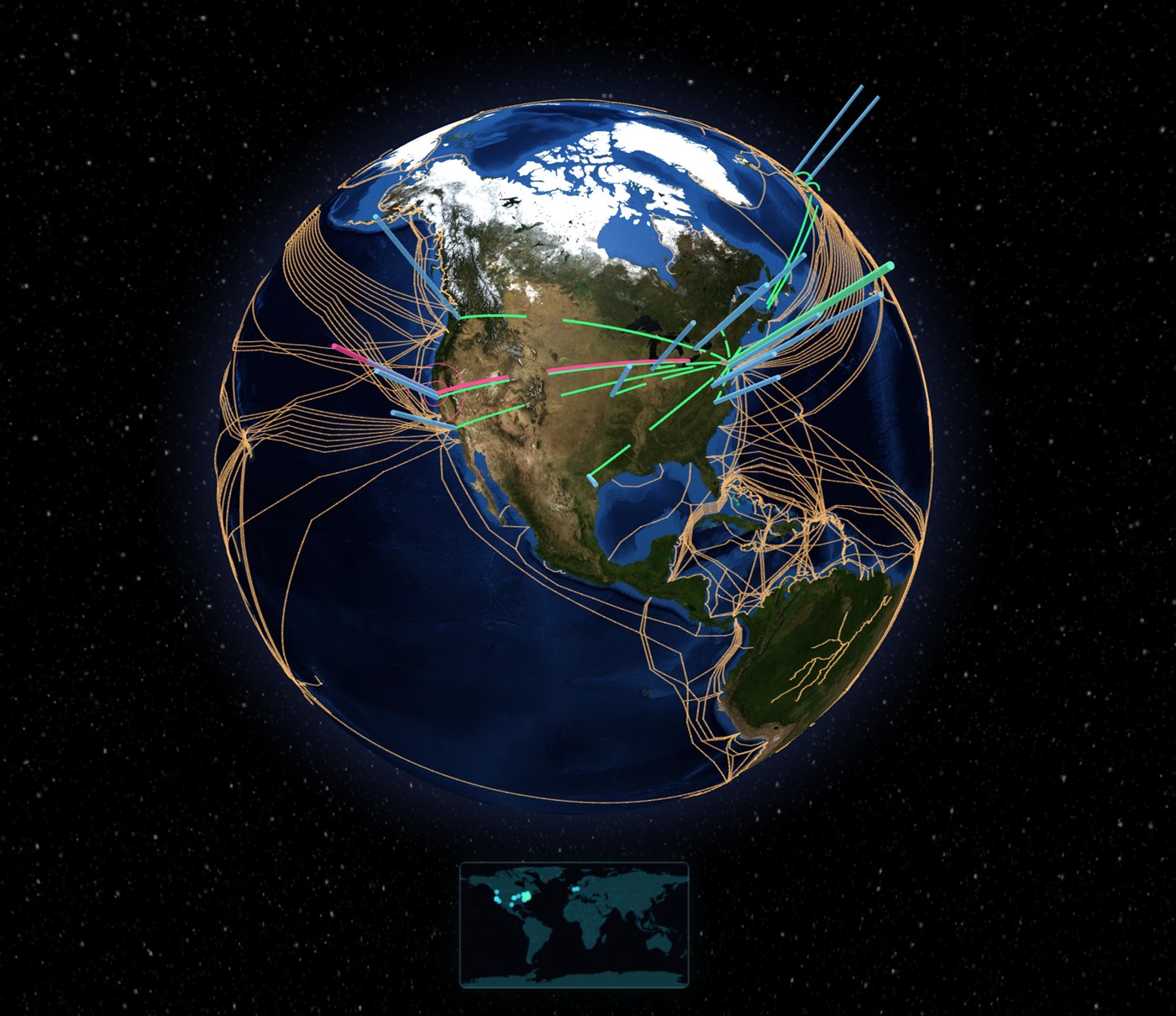
The cinematic globe view. Submarine cables, live arcs, and a thumbnail of the 2D map pinned at the bottom for orientation. Same data as the flat map — just easier to feel at scale.
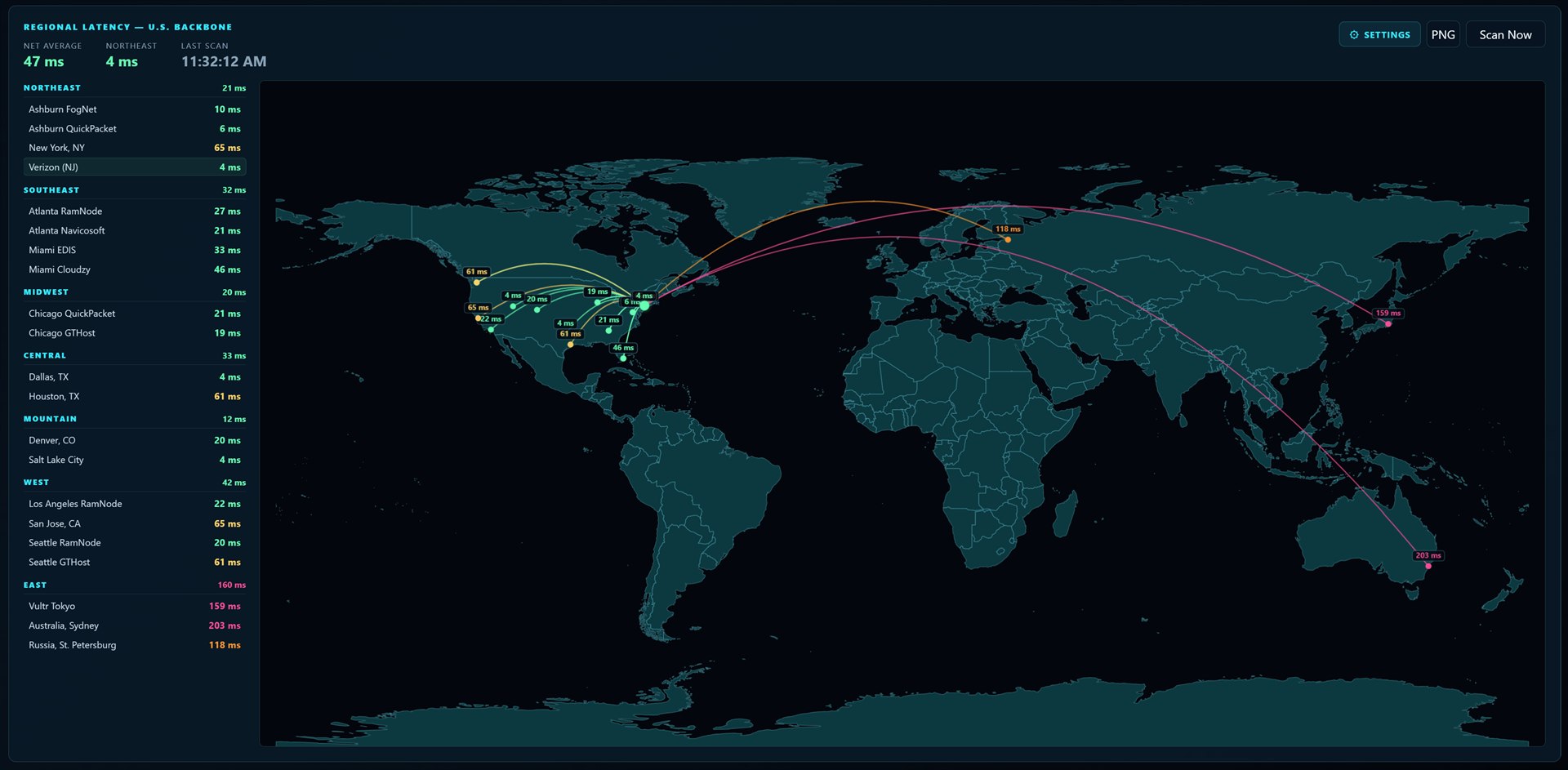
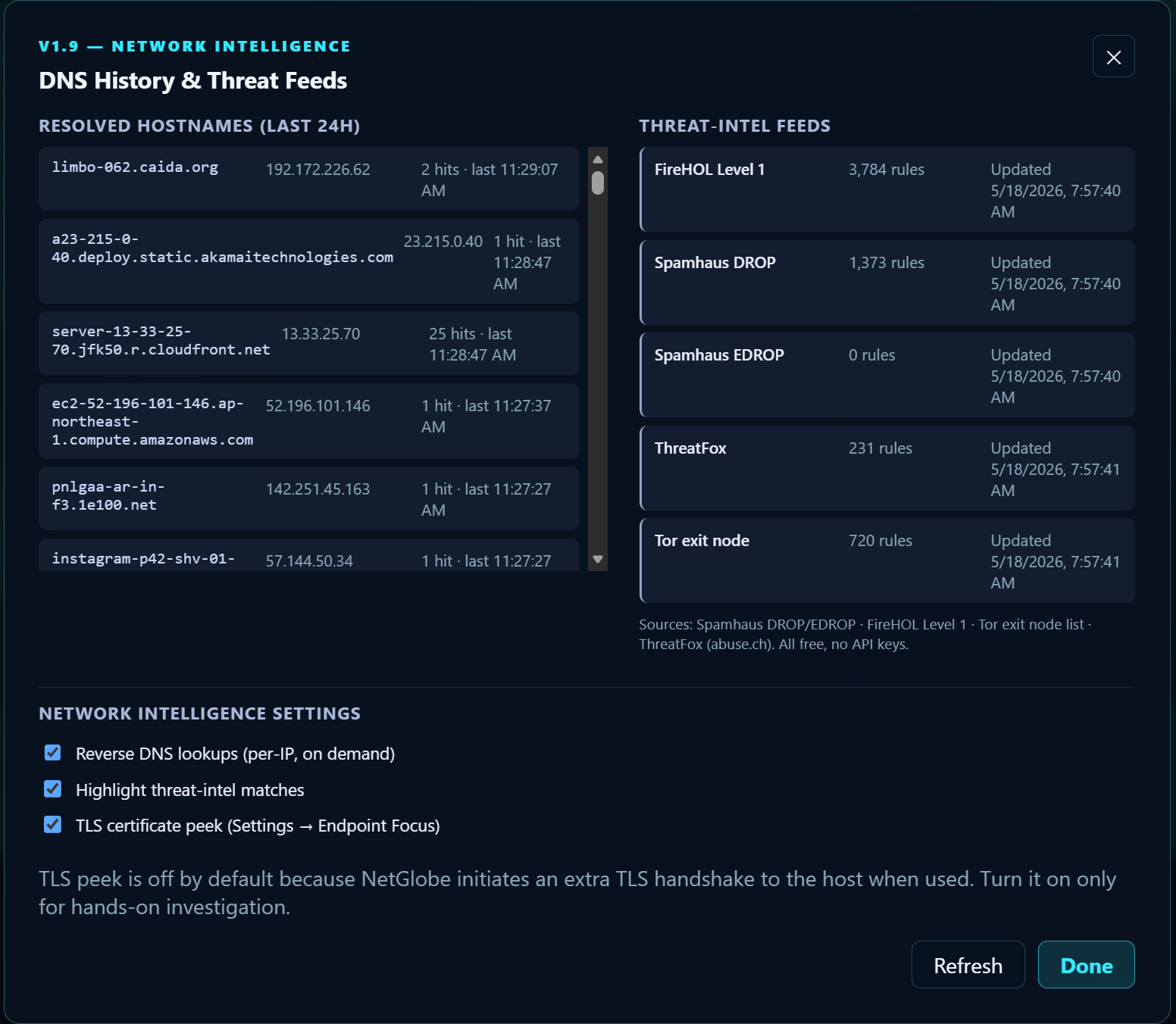
Built for the way networks actually work.
NetGlobe is a single self-contained binary. No agent. No daemon. No background service that lingers after you quit. Here's what you're getting.
Platforms
macOS 11+ (Apple Silicon + Intel)
Windows 10+ (x64)
Install footprint
~40 MB on disk, single binary
Lives in%LOCALAPPDATA%\NetGlobe\ · no admin prompt
Privileges
Standard user — no kernel driver, no NDIS hook
Reads sockets via OS-native APIs (netstat / lsof)Network
Localhost-only HTTP server on 127.0.0.1:4127
UI
Browser-native · vanilla JS · no npm runtime deps
Opens in your default browser; no Electron, no embedded webviewData
Stays on the device. Bundled GeoIP database.
No cloud sync. No account. No analytics beacon.Get NetGlobe.
A one-time $18.99 — on the Microsoft Store for Windows, or a direct download for Mac.
No account. Runs entirely on your device.
Questions? info@vandien.io · Support: support@vandien.io